Author: patchcrew

  • Fake QR Codes on Parking Meters: How to Spot the Scam

    Fake QR Codes on Parking Meters: How to Spot the Scam

    Parking meters across many cities now allow drivers to pay digitally. Scammers exploit this convenience through “quishing”—placing malicious QR code stickers directly onto physical parking meters. Drivers scan the sticker assuming it is an official payment method, enter their credit card information, and unknowingly hand their financial credentials over to criminals.

    How the scam works

    Fraudsters print adhesive stickers featuring a QR code and place them directly over the legitimate payment instructions or digital screens on parking meters. When a driver scans the code with a smartphone camera, the browser opens a convincing phishing webpage that mimics the local city or parking authority’s payment portal.

    Once the victim inputs their payment card details, the website captures the data. The driver receives neither valid parking authorization nor protection from city enforcement, often resulting in both fraudulent card charges and a physical parking ticket on their windshield.

    Red flags

    • A physical sticker placed over existing instructions, especially if peeling, crooked, or covering official embossed text.
    • The website address (URL) displayed in your mobile browser does not match the city government or regional municipal domain.
    • A prompt requesting unnecessary personal details, such as full Social Security numbers, banking PINs, or secondary security questions just to pay for short-term parking.
    • Don’t treat the padlock icon as proof of safety: scam payment pages usually have one too. Check the web address instead.

    How to stay safe

    • Pay directly using physical credit card slots, cash, or coins when available on the meter.
    • Use official parking applications downloaded directly from your mobile device’s certified app store rather than scanning unverified stickers on the street.
    • Check the surface around the QR code before scanning; if it feels like an adhesive layer covering original metal or plastic signage, avoid it.
    • Verify the destination URL in your browser before typing card details, ensuring it belongs to the verified municipality or parking vendor.

    If it already happened to you

    1. Contact your bank or credit card issuer immediately to report unauthorized charges and cancel the compromised card.
    2. Contest any parking citation received by providing your bank transaction records or photos showing the fraudulent meter sticker.
    3. Monitor your financial accounts for ongoing unusual activity and set up transaction alerts.
    4. Report it: in the US at ReportFraud.ftc.gov; in India at cybercrime.gov.in or helpline 1930; elsewhere, to your national fraud reporting service.

    Frequently asked questions

    Do city parking meters normally use QR code stickers?

    Most municipal parking meters feature integrated digital screens, card readers, or painted instructions. While some cities provide official QR codes, they are typically printed as part of the permanent metal signage rather than loose paper or vinyl stickers pasted over the meter.

    Can scanning a QR code harm my phone automatically?

    Scanning alone rarely installs malware on modern mobile operating systems, but it directs you to deceptive phishing websites designed to trick you into entering private financial data or downloading malicious configuration profiles.

    How can I verify an official city parking app?

    Check the official municipal government website beforehand to identify their authorized parking partner, and download the app directly from your device’s official app store rather than clicking web links.

    Watch Patch explain it

    New cartoon scam alerts every week on YouTube: youtube.com/@PatchVsScams

    This article is general safety information, not legal or financial advice. See our Disclaimer for where to report scams.
  • Fake Job Offers and Task Scams: How to Spot and Avoid Them

    Fake Job Offers and Task Scams: How to Spot and Avoid Them

    Imagine receiving an unsolicited message offering flexible remote work with high earnings for only a few minutes of effort each day. You are asked to perform basic digital chores, such as liking videos, rating mobile applications, or reviewing hotel listings. While the opportunity sounds appealing, it is frequently the gateway to a widespread digital fraud known as a task scam.

    Criminals exploit the growing desire for remote employment to deceive victims into transferring their own money into fake investment portals or task platforms.

    How the Scam Works

    Task scams rely on psychological manipulation, false incentives, and sunk cost fallacies.

    1. Unsolicited Recruitment: You receive a message via text, social media, or messaging apps from someone claiming to represent an employment agency or major digital marketing firm.
    2. Low-Effort Onboarding: The recruiter assigns quick initial tasks, such as clicking a rating button or taking a screenshot of an app store listing.
    3. The Hook: To build trust, the operator actually pays out a small incentive—often ten to thirty dollars—directly to your digital wallet or bank account.
    4. The Paywall: You are invited to an exclusive portal where commissions supposedly multiply. Soon, an artificial “negative balance” or “VIP combo task” locks your funds. The platform claims you must deposit your own funds to unlock your earnings.
    5. The Disappearance: Once you send a significant deposit, the platform freezes your account, demands even higher “clearance fees,” or cuts communication entirely.

    Red Flags

    • An unexpected offer by text, WhatsApp or Telegram: especially for vague “online tasks” with no interview and no real company behind it.
    • Unusually high compensation: Earning hundreds of dollars daily for simple clicks or automated tasks is not realistic.
    • Demands for upfront money: Any employer requiring you to pay an administrative fee, deposit, or unlock fee to access your wage is running a scam.
    • Cryptocurrency or wire payment methods: Scammers strongly prefer payment channels that are irreversible and hard to trace.
    • High-pressure countdown timers: Fake dashboards frequently show urgent deadlines to reset balances or finalize commissions.

    How to Stay Safe

    • Never pay money to receive wages: Genuine employment relationships involve payment going from the employer to the worker, never the reverse.
    • Research company details independently: Look up the company through an independent web search and contact their official human resources department directly.
    • Refuse unusual payment channels: Do not send cryptocurrency, wire transfers, or gift cards for supposed work equipment, security deposits, or task resets.
    • Protect personal information: Never provide identity documentation, banking logins, or remote device access to unverified recruiters.

    If It Already Happened to You

    1. Stop sending funds immediately: Refuse any additional requests for “gas fees,” “tax prepayments,” or “account verification deposits.”
    2. Contact your financial institutions: Notify your bank or payment provider at once to explain that fraudulent transactions took place and request any possible recall.
    3. Secure your accounts: Update passwords and review active sessions across all accounts if you downloaded any software or shared credentials.
    4. Report it: in the US at ReportFraud.ftc.gov; in India at cybercrime.gov.in or helpline 1930; elsewhere, to your national fraud reporting service.

    Frequently asked questions

    Why did the scammer send me real money at first?

    Scammers provide a small initial payment as bait. It establishes false credibility, lowering your guard so you will feel comfortable transferring much larger sums later.

    Can my bank recover funds sent through cryptocurrency?

    Cryptocurrency transactions are recorded on decentralized ledgers and cannot be reversed by banks or payment processors. Anyone claiming they can guarantee recovery for a fee is running a recovery scam.

    Watch Patch explain it

    New cartoon scam alerts every week on YouTube: youtube.com/@PatchVsScams

    This article is general safety information, not legal or financial advice. See our Disclaimer for where to report scams.
  • How Scammers Use AI Voice Cloning to Fake Family Emergencies

    How Scammers Use AI Voice Cloning to Fake Family Emergencies

    Hearing a loved one in distress is one of the most frightening experiences imaginable. Fraudsters are now pairing that emotional shock with artificial intelligence, using voice-cloning software to simulate kidnapping, car crashes, or sudden arrests. Knowing how these schemes operate can keep your family safe and your finances secure.

    How the scam works

    Modern voice-cloning tools can work from just a few seconds of clear speech to replicate an individual’s vocal tone, pitch, and cadence. Scammers extract these voice samples from public videos uploaded to social media platforms.

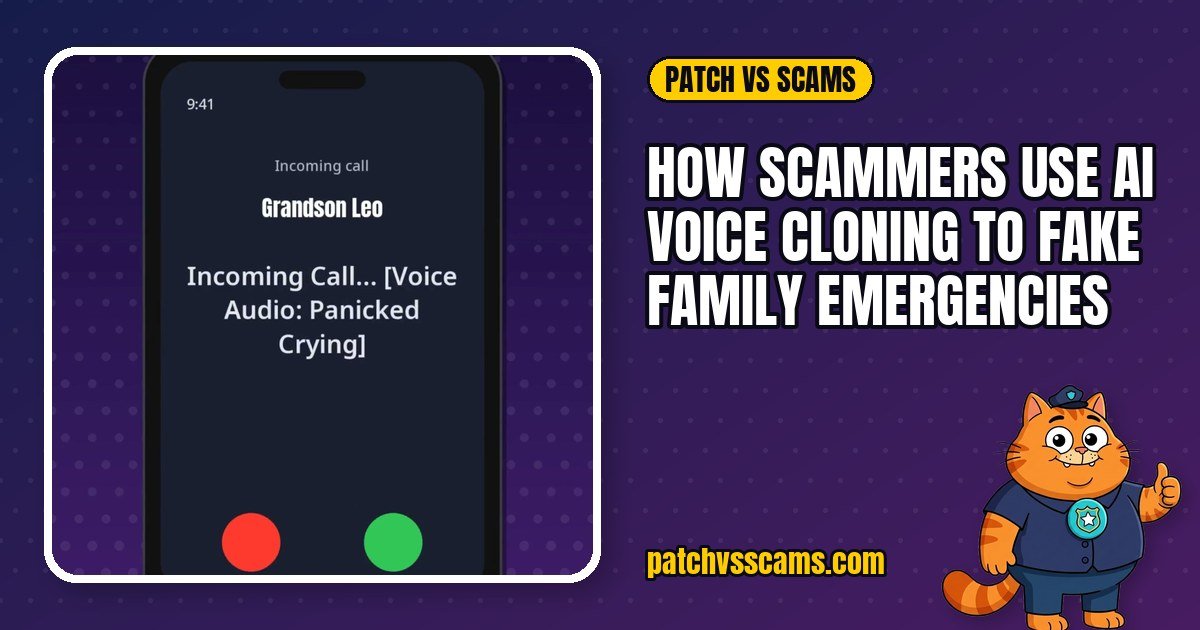
    Once the clone is generated, the scammer calls a relative—often a parent or grandparent—posing as the loved one or an authority figure like an attorney or police officer. The caller claims an immediate crisis has occurred, such as a severe car accident or detention in jail. They demand an instant transfer of funds to resolve the emergency, relying on shock and urgency to prevent the victim from thinking clearly.

    Red flags

    Be on alert if an incoming emergency call exhibits any of the following signs:

    • Extreme emotional pressure: The caller insists money must be sent immediately and begs you not to tell other relatives.
    • Unusual payment methods: Demands to pay via wire transfer, cryptocurrency, peer-to-peer payment apps, or retail gift cards.
    • The voice sounds exactly right: That proves nothing. Good clones can be very convincing, so never rely on how the voice sounds.
    • Refusal to verify identity: The caller resists answering specific personal questions that only the real family member would know.
    • Unfamiliar incoming numbers: The call comes from an unknown number or spoofed caller ID, with the caller claiming their real phone was broken, lost, or confiscated.

    How to stay safe

    Take deliberate, proactive steps to protect your household from voice impersonation:

    • Establish a family safe-word: Agree on a private code word or phrase known only to immediate family. If someone calls claiming an emergency, ask for the safe-word before taking any action.
    • Pause and verify: Resist the urge to act instantly. Hang up and contact the family member directly on their established, trusted phone number.
    • Reach out to mutual contacts: If the relative does not pick up, contact their spouse, roommate, coworker, or school to confirm their whereabouts.
    • Tighten social privacy: Review social media privacy settings and consider limiting public access to videos containing clear audio of your voice.

    If it already happened to you

    If you sent money to an impostor, take these steps right away:

    1. Contact the financial institution, wire service, or payment platform immediately to request a transaction recall or freeze.
    2. Document all records, including call logs, phone numbers, transaction IDs, and payment receipts.
    3. Report the incident to your local police department and obtain a copy of the police report.
    4. Report it: in the US at ReportFraud.ftc.gov; in India at cybercrime.gov.in or helpline 1930; elsewhere, to your national fraud reporting service.

    Frequently asked questions

    Can scammers clone a voice from a quick phone greeting?

    It’s possible, and you can’t control every recording of your voice. That’s why the reliable defence is verification, not secrecy: a family safe-word and calling back on a number you already know.

    What if the caller claims my relative cannot speak because of an injury?

    This is a standard tactic designed to explain away voice discrepancies or avoid conversation entirely. Never send funds based solely on an unknown third party’s claims; always verify independently through trusted contacts.

    Watch Patch explain it

    New cartoon scam alerts every week on YouTube: youtube.com/@PatchVsScams

    This article is general safety information, not legal or financial advice. See our Disclaimer for where to report scams.
  • The Bank Impersonation Trap: Why Scammers Demand Your One-Time Passcode

    The Bank Impersonation Trap: Why Scammers Demand Your One-Time Passcode

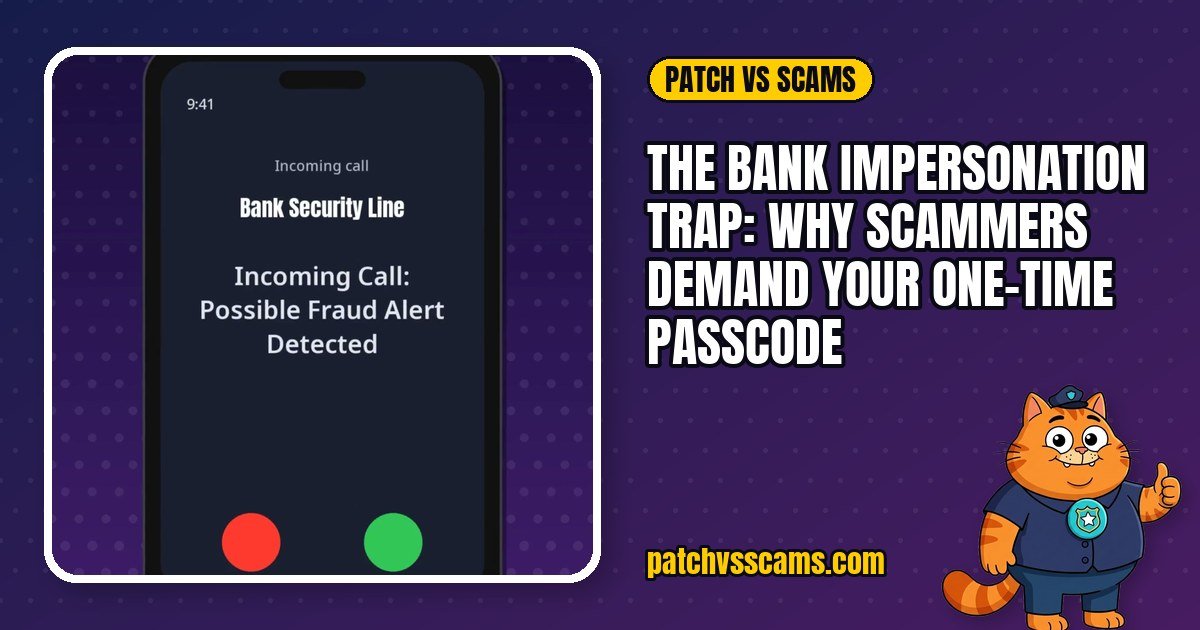
    A ringing phone displays the name of your financial institution, complete with a local or recognized number. The person on the other end speaks with urgency, claiming that fraudulent charges are actively draining your checking account. To stop the crime, they claim they need to verify your identity using a quick security code sent to your phone. It feels official, helpful, and urgent. In reality, it is one of the most widespread phone scams happening today.

    How the scam works

    This scheme relies on caller ID spoofing combined with psychological pressure. Fraudsters use widely available software to alter the outgoing caller ID, making the call appear to originate from your bank’s legitimate customer service or fraud prevention department.

    Before placing the call, the criminal typically has already obtained your login credentials, card details, or phone number through data breaches or phishing emails. However, they are blocked by two-factor authentication. To complete an unauthorized transaction or wire transfer, the criminal triggers a verification code from your genuine banking service to your mobile device.

    The caller then invents a scenario where an unauthorized purchase must be blocked. They instruct you to read back the code you just received. When you supply those numbers, the criminal enters them into the real banking portal, authorizing the transfer or password change on their end. Within minutes, money can leave your account.

    Red flags

    • The caller insists on remaining on the line while a text message arrives.
    • The text message containing the code explicitly says “Do not share this code with anyone,” yet the caller claims bank staff need it.
    • Extreme urgency or fear tactics, such as claiming all your funds will vanish within minutes if you disconnect.
    • The caller asks you for sensitive details like your card PIN, CVV, or complete online banking password to “confirm identity.”
    • The caller becomes aggressive, irritated, or refuses to let you hang up and call back.

    How to stay safe

    • Never share verification codes: Banks say their staff will never call you and ask you to read out a one-time passcode.
    • Hang up immediately: If someone claims to be from your bank regarding suspicious activity, disconnect the call.
    • Verify independently: Locate the official phone number printed on the back of your payment card or on your monthly statement. Dial that number directly to verify the account status.
    • Protect your login data: Use a password manager to generate unique, complex passwords for your financial accounts so leaked passwords do not compromise your profile.

    If it already happened to you

    1. Contact your bank immediately using the phone number on the back of your card. Inform the fraud team that your credentials and a verification code were compromised so they can freeze accounts and reverse unauthorized transactions where possible.
    2. Update your account passwords, security questions, and linked email credentials from a secure device.
    3. Place a temporary fraud alert or credit freeze with the major credit bureaus to prevent the creation of new fraudulent accounts in your name.
    4. Report it: in the US at ReportFraud.ftc.gov; in India at cybercrime.gov.in or helpline 1930; elsewhere, to your national fraud reporting service.

    Frequently asked questions

    Can my bank help me recover the funds?

    Banks look at unauthorized transfers case by case. Reporting it as fast as possible gives you the best chance of stopping or disputing the transfer.

    How did the caller know my bank and name?

    Personal information is frequently compiled from third-party data breaches, commercial marketing lists, or social media, allowing criminals to personalize their script before calling.

    Watch Patch explain it

    New cartoon scam alerts every week on YouTube: youtube.com/@PatchVsScams

    This article is general safety information, not legal or financial advice. See our Disclaimer for where to report scams.
  • How to Spot and Avoid Fake Toll Road Payment Text Scams

    How to Spot and Avoid Fake Toll Road Payment Text Scams

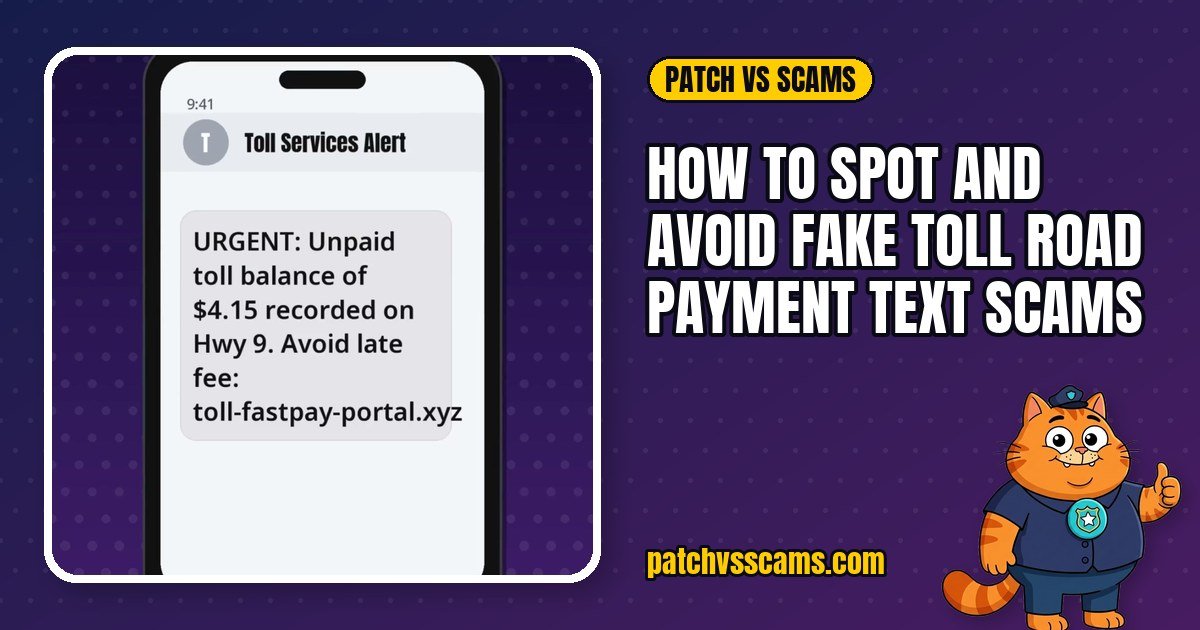
    If your phone buzzes with an urgent text message stating that you owe a small fee for an unpaid toll, you are not alone. Road toll smishing—phishing delivered via text messages—has become one of the most common text scams. Scammers rely on low dollar amounts and urgent language to trick busy drivers into handing over credit card numbers.

    How the scam works

    Scammers use automated software to mass-text thousands of phone numbers across an area code. The message impersonates a regional or statewide toll authority, claiming that your vehicle incurred an unpaid toll charge—often between three and ten dollars.

    To manufacture panic, the text claims that immediate action is required to avoid steep late fees or vehicle registration suspensions. A short link directs you to an imitation payment site that mimics the official agency’s logo and branding. Once you enter your personal information and credit card details to pay the tiny fee, the criminals harvest your card data and attempt unauthorized, high-dollar charges.

    Red flags

    • Urgent fee threats: Scammers use threatening language, claiming fines will jump drastically within 24 to 48 hours.
    • Suspicious web addresses: Look closely at the domain name. Fraudulent links often contain unusual domains, hyphenated words, or random numbers instead of official government or toll provider domains.
    • You did not drive on the toll road: Receiving a notice for a road you never used, or in a state you have not visited, is an immediate warning sign.
    • Unsolicited payment requests: Genuine road agencies typically invoice by mail linked to your registered license plate, rather than sending random, generic text alerts.

    How to stay safe

    • Do not click links: Never tap links inside unexpected text messages regarding traffic fees or highway penalties.
    • Verify independently: If you think you might genuinely owe a toll, look up the official agency website manually in your web browser and log in directly to check your account.
    • Block and delete: Mark the sender as junk in your phone’s messaging settings and delete the thread.

    If it already happened to you

    1. Freeze your payment card: Contact your bank or card issuer immediately to report unauthorized charges and request a replacement card.
    2. Change compromised passwords: If you created an account or reused credentials on the fraudulent page, update your passwords immediately using a password manager.
    3. Monitor your credit: Regularly check your bank and credit statements for unusual transactions or signs of identity theft.
    4. Report the message: Report it: in the US at ReportFraud.ftc.gov; in India at cybercrime.gov.in or helpline 1930; elsewhere, to your national fraud reporting service.

    Frequently asked questions

    Can toll authorities send legitimate text reminders?

    Some electronic toll providers do send balance updates if you opted in during account creation. However, legitimate notices will address you by your account name or vehicle plate rather than sending anonymous broadcast alerts.

    What happens if I clicked the link but did not enter card info?

    If you only opened the page, close your browser tab immediately and clear your mobile browser cache. As long as you did not submit personal data or download files, the risk of financial theft remains minimal.

    Watch Patch explain it

    New cartoon scam alerts every week on YouTube: youtube.com/@PatchVsScams

    This article is general safety information, not legal or financial advice. See our Disclaimer for where to report scams.
  • Pet Adoption Scams: Red Flags Before You Pay

    Pet Adoption Scams: Red Flags Before You Pay

    Few scams hurt like pet scams. They target people who have already fallen in love with a photo, and then keep asking for “just one more fee” until the money runs out. The pet never existed.

    How the scam works

    1. The listing. A cute puppy or kitten is advertised on social media, a classifieds site, or a professional-looking fake “breeder” website, often cheap or even “free to a good home”.
    2. The first payment. The “owner” asks you to cover shipping or a small adoption fee.
    3. The fees keep coming. A fake transport company contacts you: the pet is stuck at the airport and needs a special crate, insurance or vaccinations, usually “refundable”.
    4. They disappear. When you stop paying, they stop replying.

    Red flags

    • The price is far too low for the breed, or the pet is “free” apart from shipping.
    • They insist on gift cards, a payment app, crypto or a wire transfer. The FTC puts it plainly: only scammers say you must pay this way, because it’s hard to get your money back.
    • You can’t see the pet live. There are always excuses for why a video call won’t work.
    • The photos appear elsewhere. A reverse image search (for example Google Lens or TinEye) often shows the same photos on other listings.
    • Surprise delivery fees appear while the pet is supposedly “in transit”.

    Safer ways to get a pet

    • Visit a local rescue or animal shelter and meet the animal in person.
    • Search the seller’s name with words like “scam”, “review” or “complaint” before paying anything.
    • Never pay before you have seen the animal in person, or at least on a live video call.

    If you already paid

    1. Contact your bank or the payment service immediately to try to stop or dispute the payment.
    2. Keep evidence: screenshots of the ad, messages, emails and receipts.
    3. Report it: in the US at ReportFraud.ftc.gov; in India at cybercrime.gov.in or helpline 1930; elsewhere, to your national fraud reporting service.
    4. Beware of follow-up “recovery” offers. Anyone promising to get your money back for a fee is usually the next scam.

    Sources

    Watch Patch explain it

    New cartoon scam alerts every week on YouTube: youtube.com/@PatchVsScams

    This article is general safety information, not legal or financial advice. See our Disclaimer for where to report scams.
  • Fake Package Delivery Texts: How to Spot the Scam

    Fake Package Delivery Texts: How to Spot the Scam

    “Your package could not be delivered. Pay a small redelivery fee here.” Because so many of us are waiting for a delivery at any given moment, this text works. It’s a smishing scam (phishing by SMS), and it’s one of the most common scams around.

    How the scam works

    Scammers send the same text to huge numbers of phones, pretending to be a courier or postal service. The message says there’s a problem with your parcel: a wrong address, unpaid customs, or a tiny fee of a dollar or two. The link opens a convincing fake tracking page that asks for your name, address and card details. Once you enter them, the scammers can use or sell your card details, charge your card, or use your information for further scams.

    Red flags

    • You weren’t expecting a text from that courier, or you didn’t order anything at all.
    • The link looks odd: a shortened link, misspellings, or a web address that isn’t the courier’s real site.
    • It comes from a random mobile number or an international number.
    • It creates panic: “final notice”, “returned to sender in 12 hours”.
    • It asks for a small payment. The tiny amount is the bait; the real target is your card details.

    How to check a real delivery

    Don’t use the link. Go to the retailer’s website or the courier’s official app, or type the courier’s web address yourself, and enter your tracking number there.

    If you already entered your card details

    1. Block the card now in your banking app or by calling the number on the back of the card.
    2. Watch your statements for small or unfamiliar charges over the next few weeks.
    3. Change any password you typed on the fake page, and anywhere else you use it.
    4. Report the text: in the US and UK, forward it to 7726 (SPAM); in India, report it on the Sanchar Saathi portal (Chakshu) at sancharsaathi.gov.in. Then delete it.

    Frequently asked questions

    I only opened the link. Am I infected?

    Just opening a link rarely harms an up-to-date phone, but close the page and don’t enter anything or install anything it offers. Keep your phone’s software updated.

    Why do I get these when I haven’t ordered anything?

    Scammers don’t know who has a parcel coming. They send millions of texts because enough people are expecting one.

    Sources

    Watch Patch explain it

    New cartoon scam alerts every week on YouTube: youtube.com/@PatchVsScams

    This article is general safety information, not legal or financial advice. See our Disclaimer for where to report scams.

  • Fake Customer Service Numbers in Search Results: How the Scam Works

    Fake Customer Service Numbers in Search Results: How the Scam Works

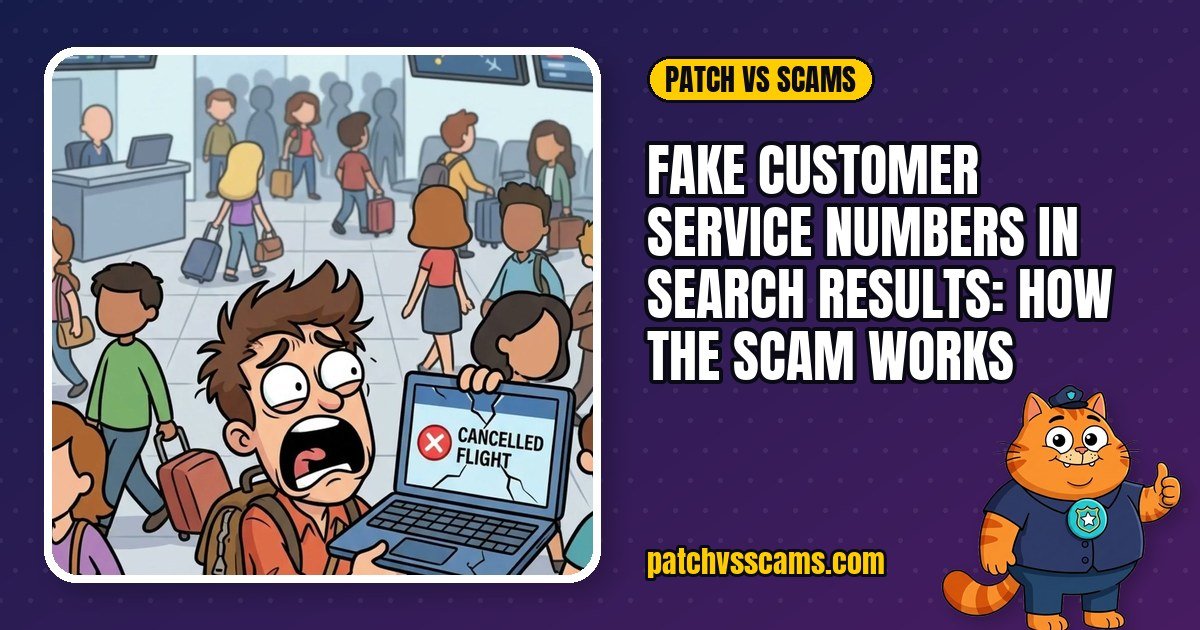
    When a flight is cancelled or an account is locked, most of us grab our phone and search for the company’s helpline. Scammers know this. They buy search ads and publish fake listings so that their phone number is the first one you see, and then pretend to be the company when you call.

    How the scam works

    Search engines show paid ads above the normal results. Scammers pay to appear there for searches like “airline customer service number” or “bank helpline”, often using the real company’s name in the ad. The number goes to a call centre run by fraudsters. They sound professional, confirm your problem is “urgent”, and then ask for a fee, your card details, a one-time code, or remote access to your computer or phone.

    Red flags

    • The number came from a search result, not from the company. The US Federal Trade Commission warns: don’t assume the phone number that comes up in a search is legitimate.
    • The top results are marked “Sponsored” or “Ad”. Paid listings are not a sign of trust. Scroll past them and check the web address.
    • The web address is slightly off, such as extra words, hyphens, or an unfamiliar ending like `sky-help-service-desk.net`.
    • They ask you to install an app such as a remote-desktop tool “to fix” a billing or booking problem.
    • They want payment by gift card, crypto, wire transfer or a payment app. Real companies don’t ask for this.
    • They ask for a password, PIN or one-time code. A real support agent never needs these.

    How to find the real number

    1. Type the company’s web address yourself, or use its official app.
    2. Use the number printed on your bill, booking confirmation, or the back of your card.
    3. If you must search, scroll past the ads and check the address carefully before calling.

    If it already happened to you

    1. Hang up.
    2. Call your bank or card provider using the number on the back of your card, and ask them to block the card or dispute the payment.
    3. If you gave remote access, disconnect the device from the internet, uninstall the app you were told to install, run a security scan, and change your passwords from a different, trusted device.
    4. Report it: in the US at ReportFraud.ftc.gov; in India at cybercrime.gov.in or helpline 1930; elsewhere, to your national fraud reporting service.

    Frequently asked questions

    Can an ad blocker stop this scam?

    It can hide sponsored results, which helps, but it isn’t a full fix: fake numbers also appear in normal listings, maps, and forum posts. The reliable fix is to get the number from the company itself.

    Why do fake support ads get through?

    Ad platforms review ads, but fraudsters keep creating new accounts and change their pages after approval. That’s why the safest habit is not to trust any number from a search result.

    Sources

    Watch Patch explain it

    New cartoon scam alerts every week on YouTube: youtube.com/@PatchVsScams

    This article is general safety information, not legal or financial advice. See our Disclaimer for where to report scams.